Open a document
Choose Open Editor, then use File → Open → Browse… in WordCraft. Select a local .docx file in the browser’s file picker. Cancelling the picker leaves the current document as it is.
For a blank page, use File → New. To explore first, choose Try a Sample.
Make your edits
Click in the document to type or delete text. Select text before applying bold, italic, or a font size from the Home toolbar. The paragraph controls handle alignment and lists.
Use the editor’s undo and redo controls to revisit a change. Keyboard shortcuts belong to the editor after you click inside it.
Download a DOCX copy
Choose File → Save or File → Save As. WordCraft generates a download in your browser. Open the downloaded copy to check your changes.
Your original file is not overwritten by the file picker. Downloads may receive a new name if a file with the same name already exists.
Export a PDF
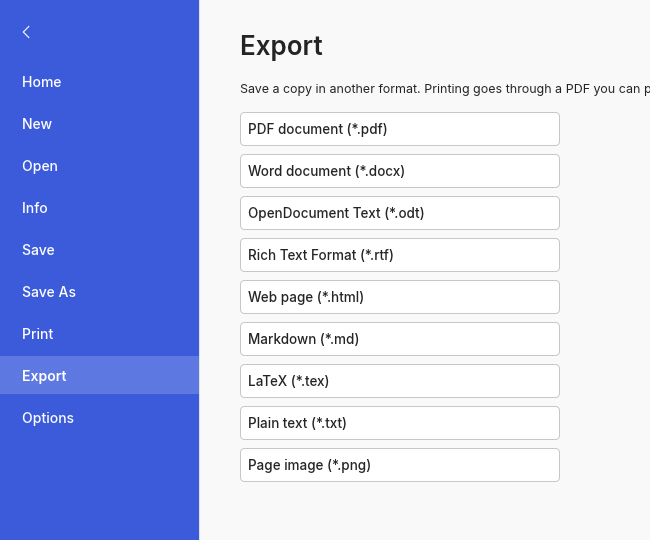
Choose File → Export, then select PDF document (*.pdf). Download the file and open it in a PDF viewer to review the text and layout.
Font substitutions, tables, images, and page breaks deserve a quick check before you send a document to someone else.
If something gets in the way
The editor is taking a while
The first visit loads the editor’s runtime. After 20 seconds, a slow-loading message appears while the same instance continues to start. Keep the tab open. If startup fails, use Retry or Use compatibility mode.
The editor will not start
Use a current desktop browser with hardware acceleration enabled. Compatibility mode uses WebGL2. If neither WebGPU nor WebGL2 is available, try the desktop app.
A download did not appear
Check your browser’s download list and any blocked-download notice near the address bar. Allow downloads for this site, then repeat Save As or Export inside WordCraft. Cancelling does not save a file.
The document looks different
The browser edition uses its bundled fonts. Complex Word features may not round-trip exactly. Keep the original document and review exported copies in Word or LibreOffice.
A file cannot be opened
Read the editor’s error message. Confirm the file is a valid, unencrypted DOCX. Try a simple document or the sample. Do not discard your current work to troubleshoot a different file.